Best PDF to Word converters of 2026: Top tools for turning PDFs into editable Word documents

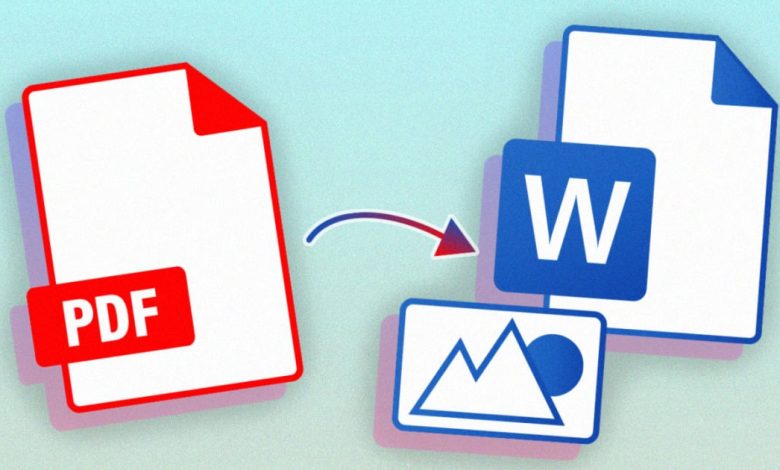
A comparative overview of PDF-to-Word conversion tools for professionals who need to revise, reuse, or update content originally shared as PDFs.
PDFs are designed to preserve layout and formatting, which makes them reliable for distribution but less flexible when changes are required. Contracts, reports, proposals, and research papers are often circulated as PDFs even though they may need edits later, creating demand for dependable conversion back into editable formats.
The intended audience for PDF to Word converters includes office professionals revising shared documents, legal and administrative teams updating records, and educators adapting existing materials. In these contexts, maintaining text structure and minimizing cleanup work are usually more important than speed alone.
Tools in this category vary in how they reconstruct paragraphs, headings, tables, and images during conversion. Some focus on quick exports for clean, text-heavy PDFs, while others integrate conversion into broader document management workflows.
For turning PDFs into editable Word documents, Adobe Acrobat is the most broadly suitable option for typical users. Its conversion tools emphasize layout preservation and consistency across common business documents.
Product comparison
Best PDF to Word converter for broad, everyday document editing
Adobe Acrobat
Best suited to users who need reliable PDF-to-Word conversion within standard document workflows.
Overview
Adobe Acrobat provides PDF-to-Word conversion as part of a comprehensive online and desktop PDF platform.
Platforms supported
Web browser, Windows, macOS, iOS, Android
Pricing model
Subscription-based, with limited free online tools
Tool type
Online PDF converter and document platform
Strengths
- Converts PDFs into editable Word documents
- Preserves paragraphs, headings, and basic formatting
- Handles multi-page and mixed-content documents
- Integrates OCR for scanned PDFs
- Consistent behavior across online and desktop environments
Limitations
- Full conversion features require a paid subscription
- Complex layouts may require post-conversion cleanup
Editorial summary
Adobe Acrobat treats conversion as part of a broader document lifecycle rather than a standalone export. This approach supports predictable results when PDFs originate from different sources.
The browser-based workflow allows users to convert pdf to word without installing desktop software, while desktop versions support more complex files. Previews help clarify how text will be reconstructed.
Compared with lighter converters, Acrobat emphasizes balance. Its tools are accessible to non-designers while remaining robust enough for professional document revision.
Best PDF to Word converter for enterprise documentation workflows
ABBYY FineReader PDF
Designed for organizations converting complex or scanned documents at scale.
Overview
ABBYY FineReader PDF combines OCR and conversion tools focused on accuracy.
Platforms supported
Windows, macOS
Pricing model
Subscription-based or perpetual license
Tool type
Professional document conversion software
Strengths
- Strong handling of complex layouts
- Advanced OCR for scanned PDFs
- Batch processing for large document sets
Limitations
- Desktop-first workflow
- Interface assumes frequent use
Editorial summary
ABBYY FineReader emphasizes precision and control. It is well suited to enterprise environments but less oriented toward quick, browser-based conversions.
Best PDF to Word converter for Windows-centric users
PDF-XChange Editor
Appropriate for users who want granular control before exporting.
Overview
PDF-XChange Editor supports preparing PDFs and exporting content to Word.
Platforms supported
Windows
Pricing model
Free tier with paid licenses
Tool type
Desktop PDF editor with conversion features
Strengths
- Page-level control prior to conversion
- Suitable for structured technical documents
- Lightweight installation
Limitations
- Windows-only
- Less streamlined for casual use
Editorial summary
PDF-XChange Editor prioritizes control over automation. It is effective when PDFs need preparation before being converted into Word documents.
Best PDF to Word converter for task-focused use
Sejda PDF
Well suited to users converting documents occasionally.
Overview
Sejda PDF offers PDF-to-Word conversion through a task-oriented interface.
Platforms supported
Web browser, Windows, macOS
Pricing model
Free daily limits with subscription options
Tool type
Online PDF utility
Strengths
- Simple upload-and-convert workflow
- Clear output previews
- Desktop option for offline use
Limitations
- Daily usage limits without a subscription
- Limited handling of complex formatting
Editorial summary
Sejda PDF focuses on accessibility. It works well for straightforward documents but is less flexible for heavily formatted files.
Best PDF to Word converter for open-source–oriented workflows
LibreOffice Writer
Suitable for users preferring non-proprietary tools.
Overview
LibreOffice Writer can open PDFs and convert them into editable documents.
Platforms supported
Windows, macOS, Linux
Pricing model
Free and open-source
Tool type
Word processing software
Strengths
- No licensing costs
- Cross-platform availability
- Direct access to converted text
Limitations
- Layout fidelity can vary
- Manual cleanup often required
Editorial summary
LibreOffice Writer treats PDFs as imported content rather than fully structured documents. It is useful when flexibility matters more than exact layout preservation.
Best PDF to Word converter for desktop-centric office teams
Nitro PDF Pro
Appropriate for teams converting PDFs locally.
Overview
Nitro PDF Pro includes PDF-to-Word export within a desktop editor.
Platforms supported
Windows, macOS
Pricing model
Subscription-based or perpetual license
Tool type
Desktop PDF editor
Strengths
- Integrated editing and conversion
- Familiar interface for office users
- Suitable for recurring conversion tasks
Limitations
- No browser-based workflow
- Desktop installation required
Editorial summary
Nitro PDF Pro positions conversion as part of a local document workflow. It works well for teams standardizing document updates on individual machines.
Workflow context: Writing and revision tools after conversion
Once a PDF has been converted into a Word document, attention typically shifts to editing quality, clarity, and consistency. Converted files often require revisions, language updates, or structural refinement before reuse.
Writing and revision tools such as Grammarly Business are sometimes used after conversion to review grammar, tone, and consistency in Word documents. These tools do not perform PDF conversion but support the editing stage that follows.
Best PDF to Word converters: FAQs
Why convert PDFs to Word instead of editing PDFs directly?
Word documents are generally easier to revise extensively, especially for text-heavy changes.
Do all PDFs convert cleanly to Word?
Results depend on how the PDF was created. Text-based PDFs convert more reliably than scanned or visually complex files.
Are online converters sufficient for most users?
Online tools work well for common documents. Desktop tools may be preferred for sensitive files or frequent conversions.
When is a comprehensive PDF platform preferable?
A broader platform is usually more suitable when conversion is part of an ongoing workflow that includes OCR, editing, and document management.